
Telegram Channel Search: 4 Methods to Find Any Channel in 2026

Last updated: October 2026
The most effective methods for a Telegram channel search are using the app's built-in global search, employing specialized search bots, and browsing external channel directories. Users can also use advanced Google search operators. Each method has different trade-offs in speed, accuracy, and the number of channels it can find.
For most users, the in-app search is enough for finding popular public channels. However, marketers doing research or outreach need more powerful tools. They can combine external directories and targeted Google searches to bypass the limits of Telegram's native function.
A Telegram channel search is the process of using the app's native search, specialized bots, or external web tools to find public channels. The goal is to discover communities based on keywords, topics, or other criteria.
Telegram Channel Search: The process of using built-in and third-party tools to find public channels on the Telegram messaging platform.
Why it matters: Effective search helps users find relevant information and communities. Marketers use it for audience research and outreach, making it key to navigating the platform's vast ecosystem.
Key Takeaways
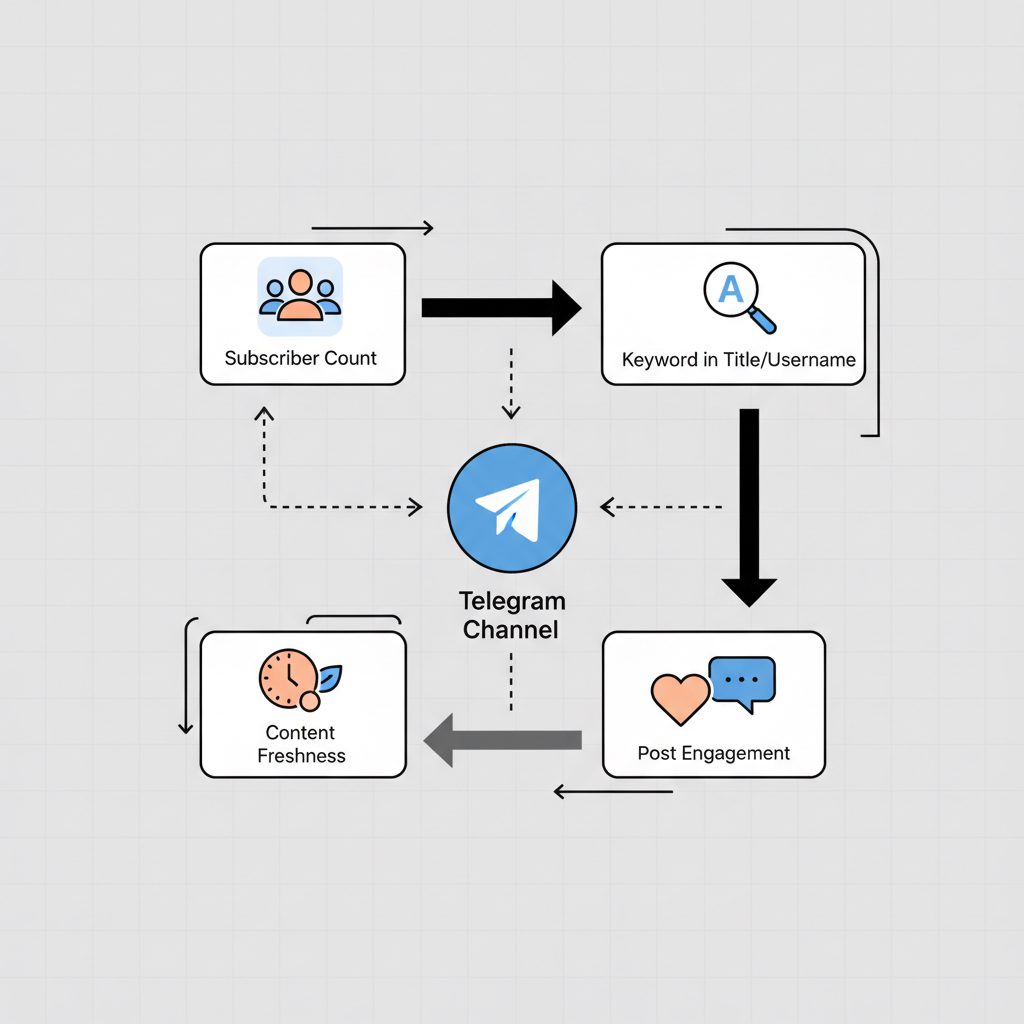
- Start with In-App Search: Use Telegram's global search for quick lookups, but understand it primarily ranks based on subscriber count and keyword matches in the title/username.
- Use Bots for Automation: Specialized bots can search channel descriptions and posts, offering deeper results than the native client, though their index may not be complete.
- Consult External Directories: Websites like TGStat aggregate channels, providing analytics and categorization that Telegram itself lacks, making them ideal for market analysis.
- Master Google Dorking: For the most exhaustive searches, use Google's
site:t.meoperator combined with keywords to find channels that are unlisted in directories but have a public web presence.
How does Telegram's native channel search work?
Telegram's built-in global search is the most direct way to find channels. When you type a query into the main search bar, Telegram's algorithm scans the titles and public usernames (@username) of public channels. According to Telegram's official FAQ, results are based on channel and chatbot titles. In practice, the ranking also heavily favors channels with a high subscriber count.
This method is fast and convenient but has significant limitations:
- Limited Scope: It does not effectively search the content of channel descriptions (
Aboutsection) or posts. - Popularity Bias: The algorithm promotes larger channels. This makes it difficult to discover new or niche communities.
- No Filtering: You cannot filter results by category, language, or creation date.
A channel with 100,000 subscribers named "Crypto News" will almost always outrank a new channel with 500 subscribers named "Detailed Crypto Analysis," even if the latter has more relevant content.
What are the main Telegram channel search methods?
Choosing the right search tool depends on your goal. Are you looking for a specific known channel, or are you exploring a topic to find multiple communities? The table below outlines the trade-offs.
| Method | Speed | Accuracy | Scope | Best For |
|---|---|---|---|---|
| In-App Global Search | Very Fast | Low-to-Medium | Limited | Finding popular, well-known public channels. |
| Specialized Search Bots | Fast | Medium | Medium | Finding channels based on keywords within posts. |
| External Web Directories | Medium | High | High | Market research, competitor analysis, and discovery by category. |
Google Search (site:t.me) |
Slow | Variable | Very High | Finding unlisted or niche channels and specific posts. |
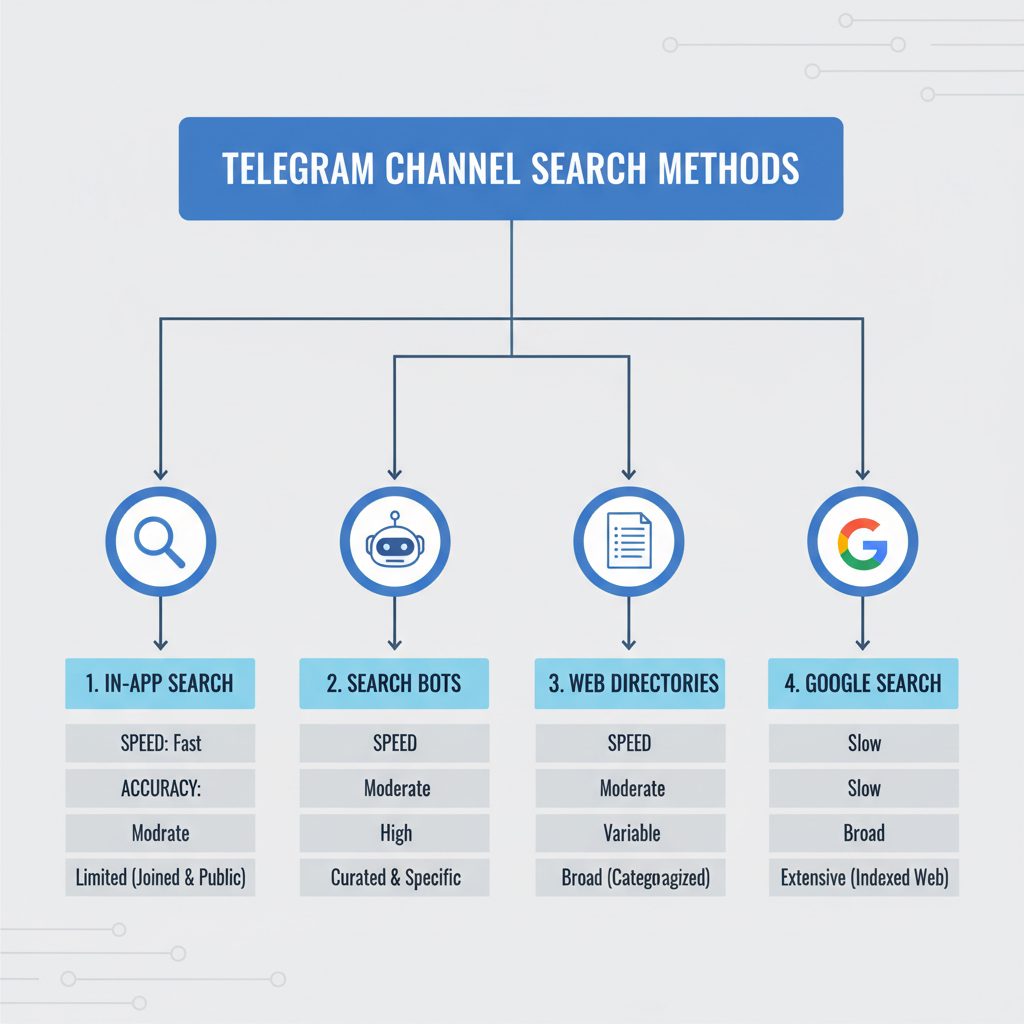
Using Bots and Directories for Deeper Searches
When the native search fails, dedicated bots and external websites are the next logical step. These tools operate outside of Telegram's direct control and build their own indexes of channels on a platform that is growing rapidly.
900 million — The number of monthly active users on Telegram as of February 2024. — Reuters, 2024
Search Bots
Bots like the Lyzem search engine bot operate within Telegram. You send them a keyword, and they return a list of channels and posts that match. Their advantage is searching the content of posts, not just titles. However, their databases are often incomplete and may not include every public channel.
External Directories
Websites like TGStat, Telemetrio, and the catalog on our own site offer a curated and categorized approach. These platforms are some of the best Telegram channel finders because they add a layer of metadata that Telegram lacks. You can often sort and filter by category, language, subscriber count, and growth rate. TGStat, for example, reports indexing over 3.4 million public channels and groups.
These directories are very useful for marketers researching competitors or creators looking for partnership opportunities. The analytics on subscriber churn and post engagement help you distinguish between channels with genuine activity and those inflated with bots.
How can I find channels using advanced Google search?
For the most complete search possible, you can use Google. Every public Telegram channel has a web-preview page at a t.me URL. You can use Google's search operators to query its index of these pages. This technique, sometimes called "Google Dorking," can uncover channels that are not listed in any directory.
The primary operator is site:t.me. You can learn more about how these work from Google's official documentation.
Here’s a step-by-step process:
- Open Google Search.
- Formulate Your Query: Combine the
site:t.meoperator with your keyword. To reduce noise from user profiles, you can exclude common terms like "joinchat." - Execute the Search: For example, to find channels related to Python programming, you could search:
site:t.me python programming -joinchat. - Refine with Operators: Use quotes for exact phrases (e.g.,
"data science") or an asterisk as a wildcard (e.g.,"machine learning *").
This method is powerful because it searches the channel description and the text of recent public posts that Google has indexed. It is the best way to find niche communities that may not have enough subscribers to rank in Telegram's native search.
How TeleRanks Improves Channel Discoverability
Finding other channels is one side of the coin. The other is ensuring your own channel gets found. The methods described above—native search, bots, and directories—all rely on signals that you can optimize. A higher rank in search results directly translates to more organic subscribers.
Optimizing for discovery involves managing factors like channel name, username, and description. It also includes off-page signals like subscriber count, engagement quality, and mentions from other channels. Services that focus on Telegram SEO can improve a channel's ranking within Telegram's native search and in external directories.
This strategy may include building a base of authoritative subscribers, as a high count of premium subscribers can act as a trust signal. At TeleRanks, we provide services designed to improve these factors, helping your channel rank higher and attract a relevant audience. You can browse our offerings for improving your channel's visibility on our services page.
FAQ
Why can't I find a specific channel on Telegram?
If you can't find a channel using the in-app search, it is likely for one of three reasons: it is a private channel, you have misspelled the name or username, or the channel has very few subscribers and is being outranked by larger ones. Try using an external directory or a Google search with site:t.me to locate it.
How do I search for private Telegram channels?
You cannot search for private channels directly. They are undiscoverable through any search tool because they are not indexed. The only way to join a private channel is by receiving an explicit t.me/+ invitation link from an existing member or the channel administrator. Any service claiming to find private channels is likely a scam.
Are Telegram channel finder bots safe to use?
Most search bots are safe, as they only require you to send them a text query. However, be cautious of any bot or external service that asks for your phone number, login credentials, or requires you to grant it administrative permissions in your own channel. Never provide personal information to an untrusted bot.